Google Meet Translated Captions vs MeetVoice (2026)
By MeetVoiceReviewed by MeetVoice EngineeringPublished Updated
Google · 2026-10-01: Translated captions show translated text, not voice. Google Help lists around 70 languages that captions can be translated to or from and notes that the feature is still rolling out. It comes with the existing subscriptions of these Workspace editions: Business Standard, Business Plus, Enterprise Standard, Enterprise Plus and Google AI Pro for Education — Business Starter and personal accounts are not on the list. If you don’t see the setting, check your edition with your admin; the feature may also not have reached your account yet. Speech Translation is the separate spoken feature: English paired with French, German, Hindi, Italian, Portuguese or Spanish, one pair per meeting, with a 90-minute limit, not in recordings or live streams. It comes with Business Standard and higher Workspace editions and with personal Google AI Pro and Google AI Ultra subscriptions; whether it can be turned on in a given meeting also depends on the meeting host’s account and admin settings, and participants must allow their voices to be translated. Translated captions · Speech Translation · Google Workspace Updates
Standard captions
Standard captions transcribe speech; translated captions display translated text on eligible plans. Both are text features. Speech Translation is a separate feature for translated audio.
Where meeting recording is available, Record captions can include captions in the recording. Turning on captions alone does not automatically create a bilingual PDF, SRT or TXT export; availability and permissions depend on the plan and settings.
What MeetVoice Does Differently
MeetVoice is a translation layer, not a transcription layer. The two tools solve entirely different problems.
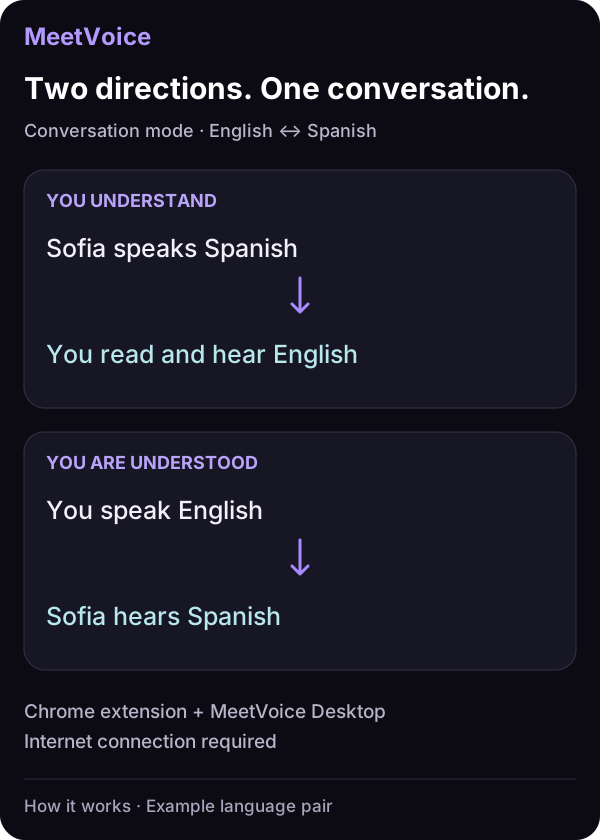
Bidirectional translation. MeetVoice translates both directions in conversation mode. As the MeetVoice user, you read and hear the other participant’s speech in your language. Once you turn on translation of your speech in the extension (it is off by default), your microphone speech is translated into a voice the other participant hears. This does not add subtitles to their screen.
Voiceover with audio ducking. Beyond text subtitles, MeetVoice can read the translated text aloud using a built-in neural voice. When the translated voice speaks, the original audio is turned down (ducked) rather than muted, so the translation is easier to hear. This means you can follow a meeting by listening to translated speech, not just reading subtitles — useful when you need to look at a shared screen or take notes.
Thirty-two supported languages. MeetVoice supports English, German, Russian, Ukrainian, Spanish, Portuguese, French, Italian, Polish, Dutch, Turkish, Japanese, Korean, Czech, Slovak, Hungarian, Romanian, Bulgarian, Greek, Swedish, Norwegian, Finnish, Danish, Hindi, Chinese, Vietnamese, Croatian, Serbian, Slovenian, Lithuanian, Latvian, and Estonian — covering European and Asian remote teams. You choose your language and your partner’s language once, and the translation runs automatically.
Real speaker names in transcripts. MeetVoice reads the active-speaker tile from the Google Meet interface and labels each line with the participant’s name when it can determine it; otherwise the line gets a generic speaker label. Combined with speaker diarization under the hood, this gives you transcripts that read like a real conversation log.
Automatic provider fallback. If your translation provider is throttled or unavailable when a segment is about to start, MeetVoice retries that segment on a backup provider automatically. A segment that is already streaming can still fail — but the next one recovers on its own, with no API-key juggling or manual retries on your side.
Runs locally. MeetVoice uses a desktop app that runs a local server on your machine. Audio is processed in transit only — through the MeetVoice speech recognition relay — and never stored. Translation text passes through MeetVoice’s stateless cloud proxy in transit (not stored); no API keys are required.
Meeting transcript with full CJK support. MeetVoice automatically keeps a real-time transcript panel of the translated conversation — the other participants’ speech, plus yours when translation of your speech is on — with speaker names and timestamps. After the meeting, you can export the transcript as PDF (with color-coded speakers), SRT (subtitle file for video editors), or TXT — Latin, Cyrillic, Japanese, Korean, and Chinese characters all render correctly. Up to 50 meetings are saved in history — no extra setup required.
A Side-by-Side Comparison
The table compares standard captions, Speech Translation and MeetVoice; translated captions are summarized in the box at the top of this page.
| Feature | Standard Google Meet captions | Google Speech Translation | MeetVoice |
|---|---|---|---|
| Same-language captions | Yes | Not its purpose | Yes |
| Spoken translation | No | Yes | Yes |
| Current language coverage | Caption languages supported by Google | EN ↔ FR/DE/HI/IT/PT/ES | 32 languages |
| Multiple incoming languages | No | One pair per meeting | 2–4 languages into your language |
| Session limit | Meeting-plan limits | 90 minutes | Plan allowance |
| Reusable transcript export | No PDF/SRT/TXT workflow | No PDF/SRT/TXT workflow | PDF, SRT, and TXT |
| Availability | Built in | Google Meet Help | Free 30 min / from €9/month |
Which Tool Do You Need?
If Speech Translation is available in your meeting — that depends on your plan, the meeting host’s account and admin settings — your call uses English plus one of Google’s six partner languages, and 90 minutes is enough, Google Speech Translation is worth trying first. If reading translated text is enough and your Workspace edition is on Google’s list, translated captions cover more languages than MeetVoice. MeetVoice is aimed at teams that need spoken translation beyond those six pairs — Russian, Ukrainian or Japanese, for example — several incoming languages at once, or exportable transcripts. For a broader comparison, see our roundup of Google Meet translation tools.
If everyone on your call speaks the same language and you just want subtitles for accessibility or a noisy environment, standard Google Meet captions are the simplest option.
MeetVoice is available now for Windows and macOS. Install the desktop app from meetvoice.app and the Chrome extension, and try it free for 30 minutes — no license required to start. When you’re ready to go beyond the trial, see pricing plans. For a step-by-step walkthrough, see our quick start guide.
Learn more about understanding incoming speech across 2–4 languages in our multilingual meetings guide — multilingual mode handles 2–4 languages from a set of ten and uses your plan’s hours. If you need your own microphone translated for another participant, use regular language-pair mode.
Chrome Extension for Google Meet
Multilingual meetings on Google Meet
in real time
30-min trial • No credit card • Audio not stored • Full control
Related guides
Read a Google Meet call in your language while it is happening
Near-real-time subtitles over your Google Meet window in 32 languages, plus an optional spoken translation of your replies. 30-minute free trial.
Translate a Google Meet call into a transcript your team can read
Translate a Google Meet call as it happens and export a timestamped record as PDF, SRT or plain text. 32 languages, nothing joins the call.
Read also
Best Live Translation Extensions for Google Meet 2026
Free or paid? Compare Google Meet translators: MeetVoice (voice both ways, 30-min free trial), Google Speech Translation and Krisp, plus Otter and Fireflies.
Google Meet Live Translation: How to Translate Calls
Translate Google Meet calls live: subtitles in your language and, if you want, your voice translated for the other side. 32 languages, 30-min free trial.
Multilingual Google Meet Calls, Translated Live
Several languages in one Google Meet call? Multilingual mode detects which of 2–4 expected languages is spoken and translates it into yours — no pair switching.